Maze Face
Turn portraits into solvable mazes. An experiment in combining procedural generation with portraiture. This was inspired by recent watercolor portrait exercises I’ve been doing. A fun little experiment.
- Try it: Maze Face
- Source: maze-face on GitHub
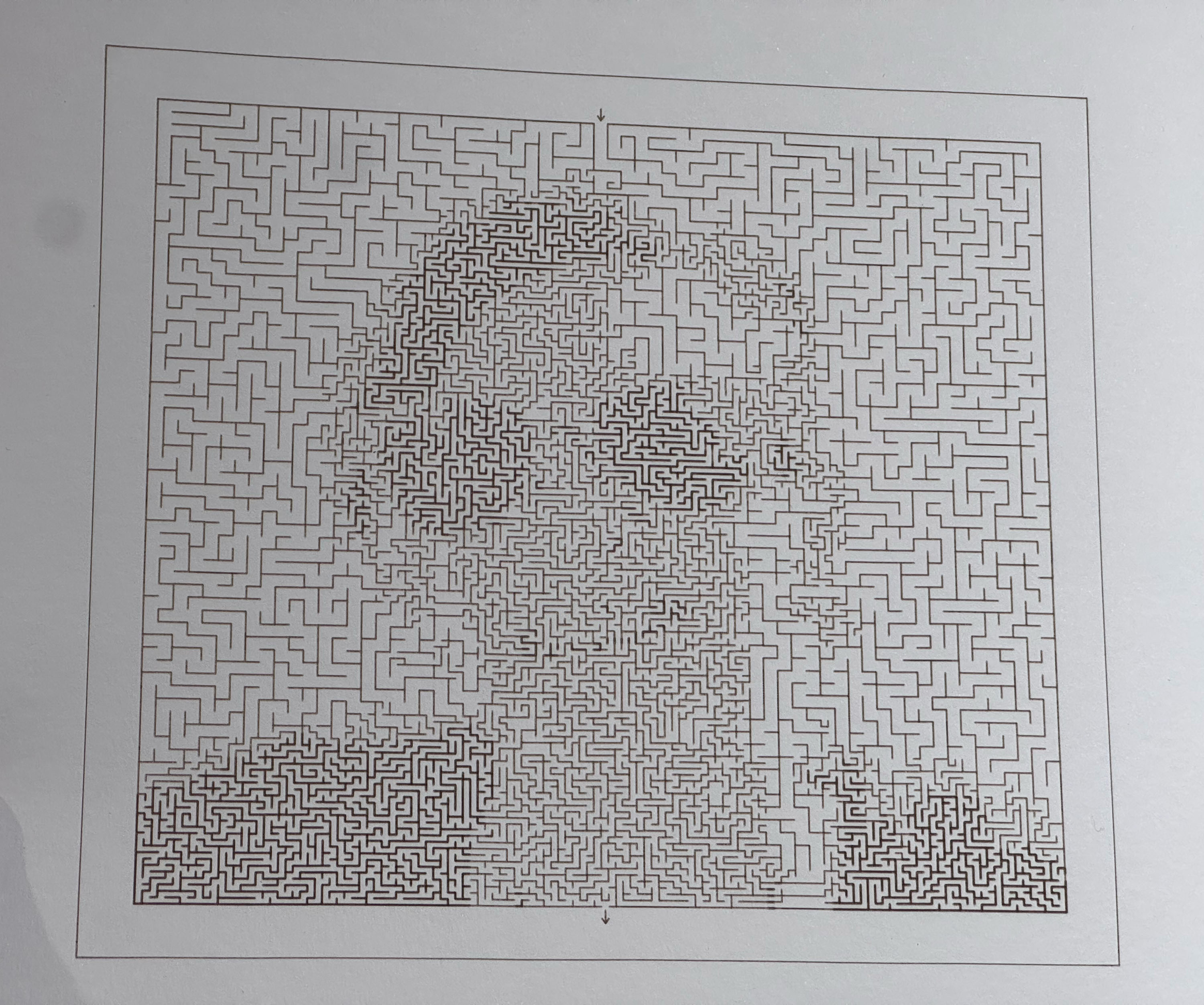 Laser cut maze on watercolor paper
How It Works
Developed with Claude Code - the algorithm uses adaptive quadtree subdivision. It recursively divides the image based on brightness variance—detailed or dark areas get smaller cells, smooth or bright areas get larger ones. A standard maze algorithm then carves passages through this irregular grid.
This was actually insufficient to capture the broad values of the original portrait without being impossibly dense in terms of maze complexity. So to keep the mazes simple I added stroke weights to the algorithm that vary based on the brightness of the original pixel.
The output is SVG for pen plotting or laser cutting.
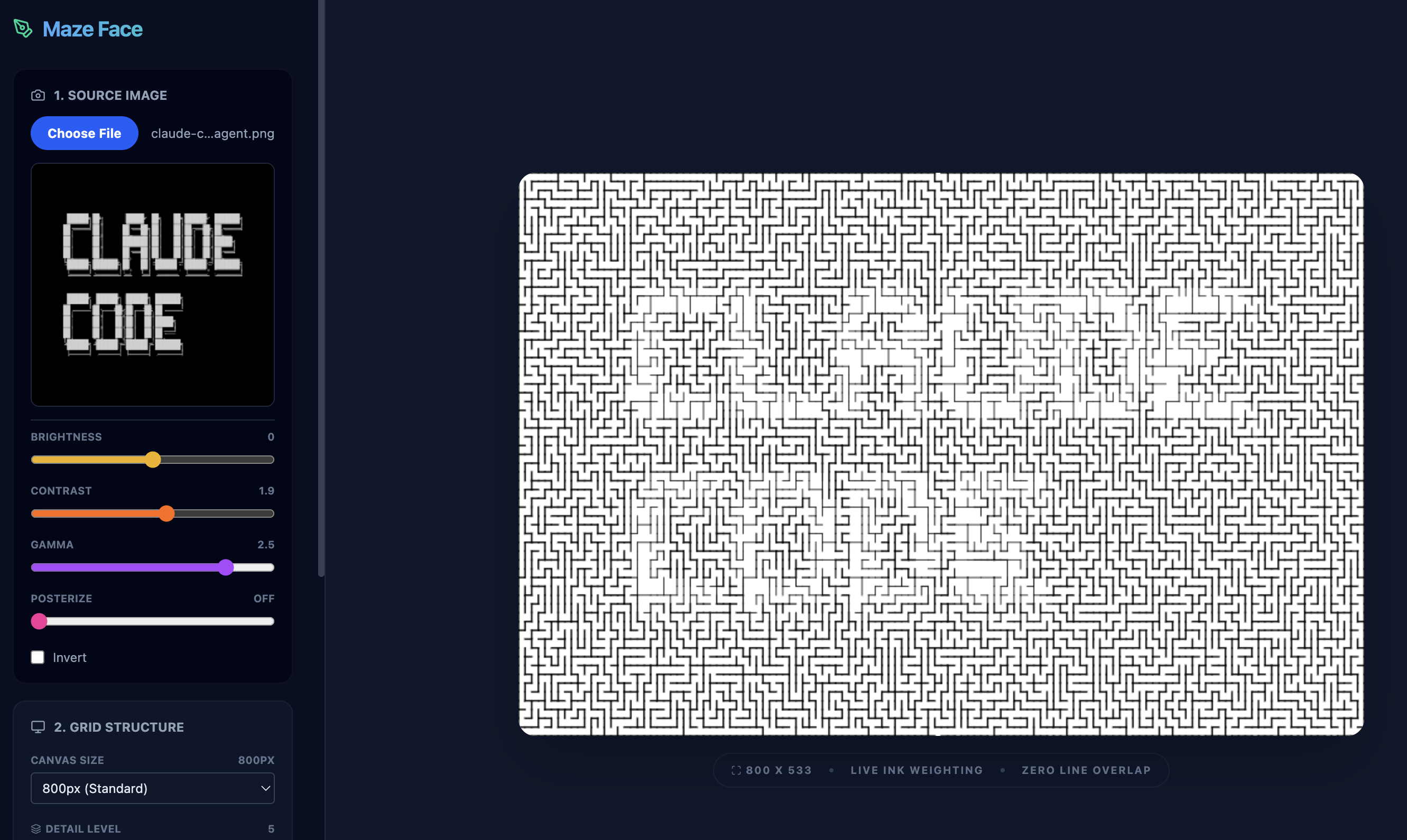 App example showing portrait-to-maze conversion
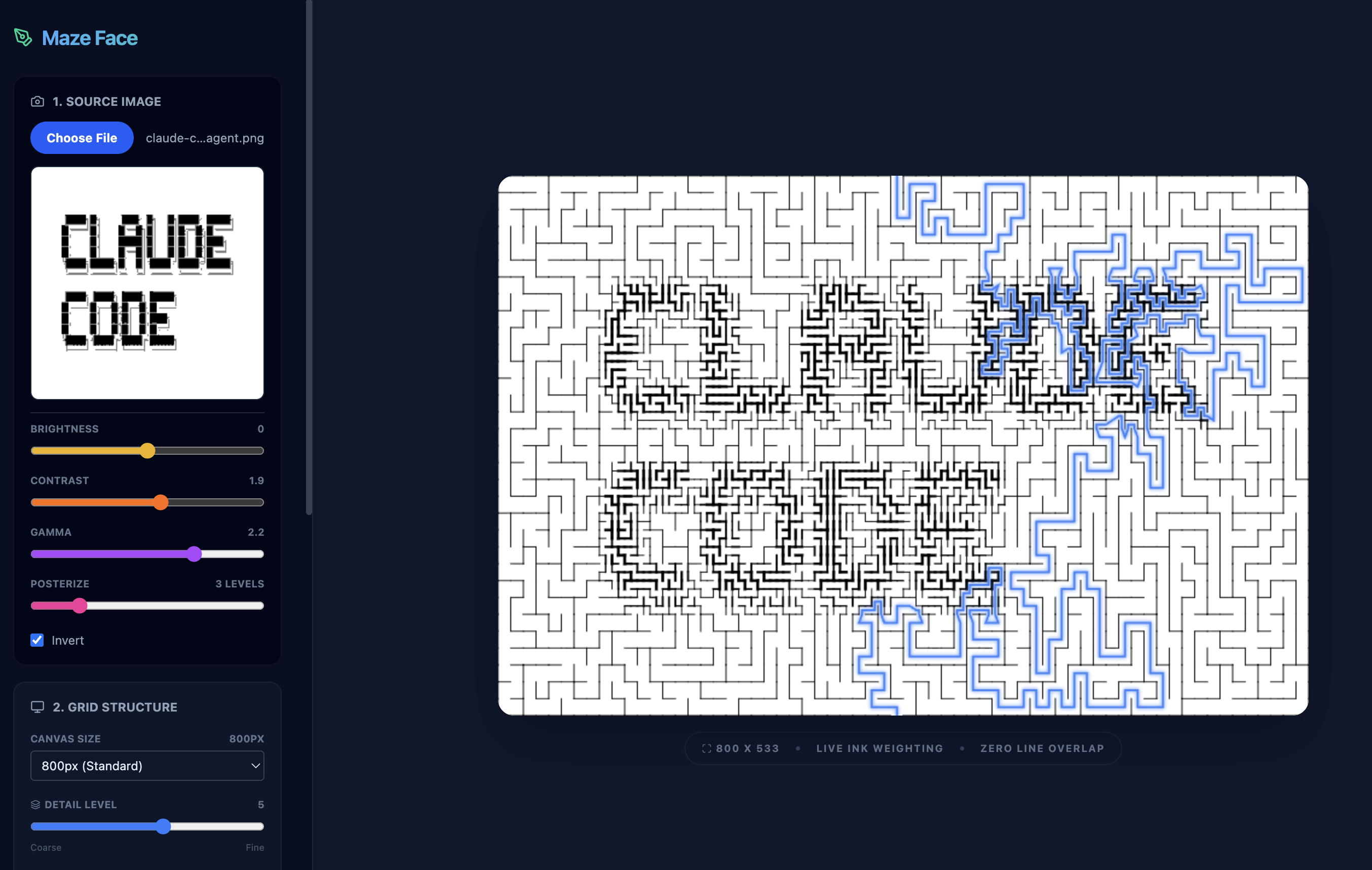 App example showing solution path
Pen Plotting
The tool integrates directly with AxiDraw plotters via WebSerial. Stroke width maps to pen pressure—darker areas press harder, lighter areas lift slightly. Unsurprisingly, this is tricky to get right. To make it better, i need to add a more sophisticated calibration system to exactly dial in the pen pressure for each stroke width.
Laser Cutting
SVG export includes a laser-cut mode that colors strokes by weight—designed for Glowforge layer separation. Thicker walls can be cut deeper or with more power, creating tactile depth in the final piece. I had to do a bit of extra work to consolidate the strokes into a few big shapes or else I would kill the glowforge app on upload.
Future work
I want to make it so the solution path itself captures the contour of the original image. This way you could “hide” images in the maze which would be a neat direction to take things.