Doctor Rock
What It Is
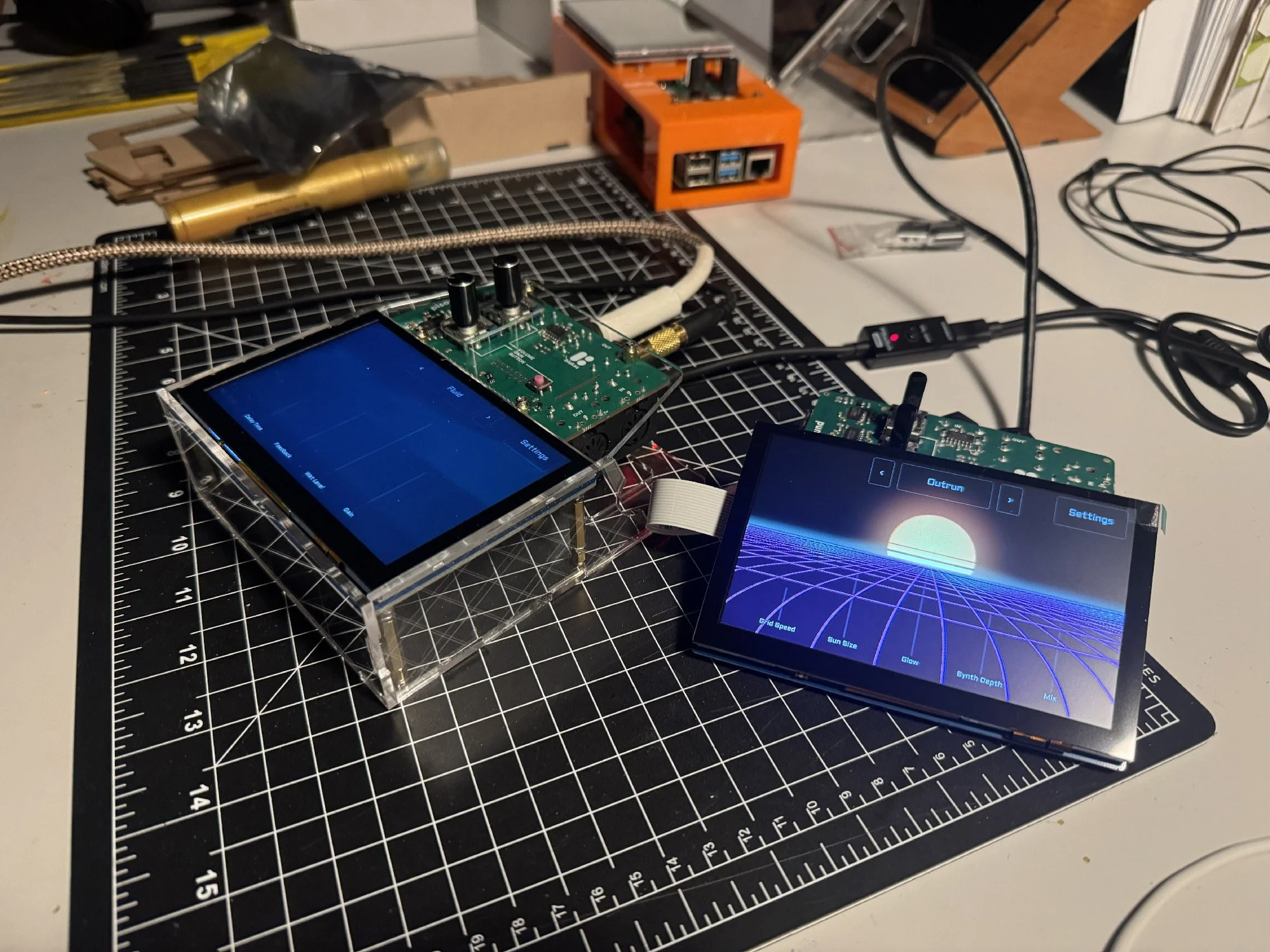
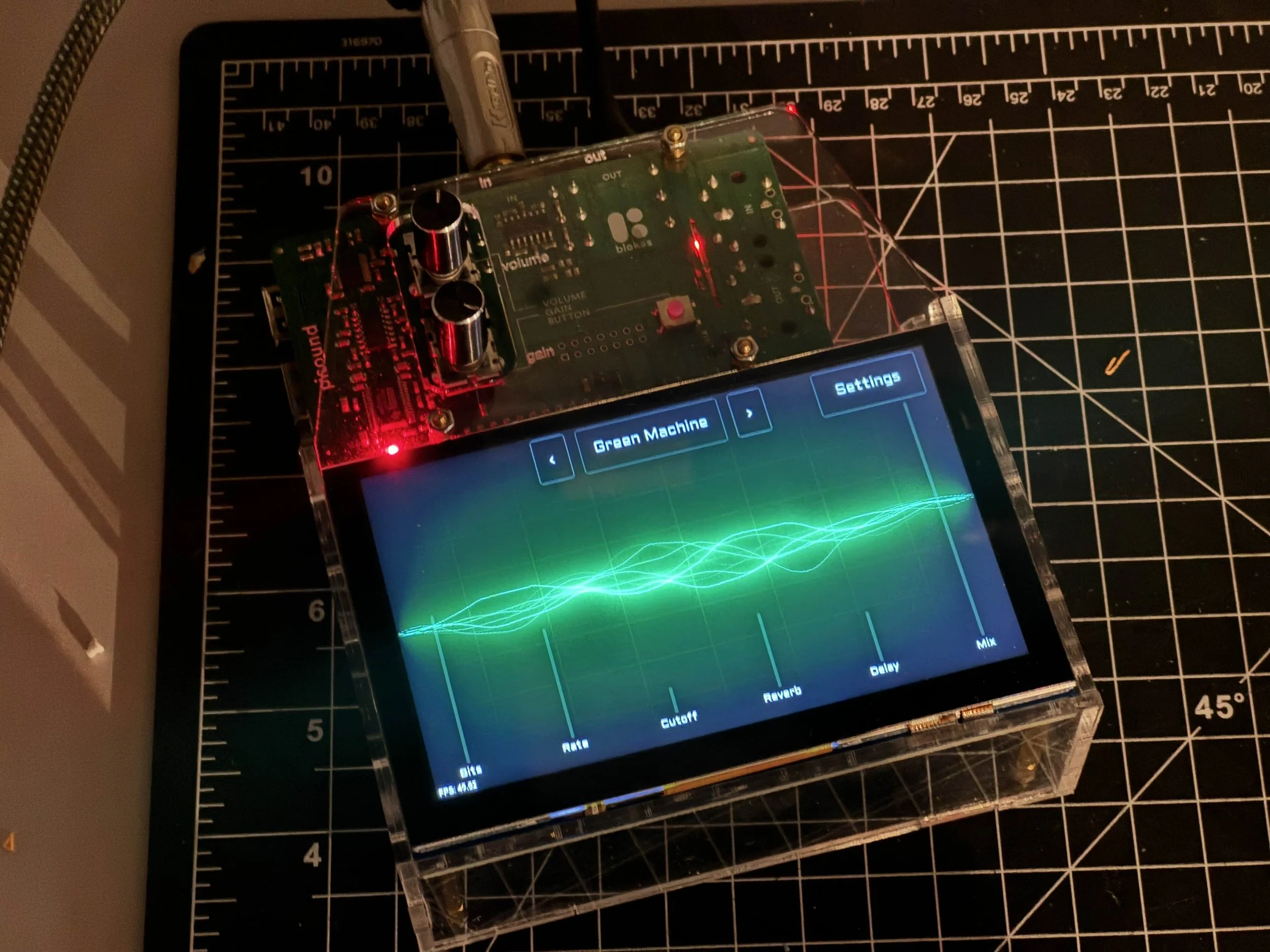
Doctor Rock is an open-source audiovisual effects processor and guitar pedal dev kit. It runs on a Raspberry Pi with real-time audio processing through SuperCollider and ShaderToy-style GLSL visualizations—all controllable via voice, phone, or hardware faders.
Unlike traditional guitar pedals that offer a fixed set of knobs and effects, Doctor Rock treats effects as code: text files you can fork, remix, and share. With 100+ effects to start and LLM-powered creation tools, you’re not limited to what ships in the box.
Key capabilities:
- Real-time audio effects processing with ~2.1ms latency
- Synchronized audio-reactive visualizations
- Natural language effect creation and editing via AI
- Phone-based remote control with QR code pairing
- Hardware fader integration (Roto Control Mini)
- Git-based effect library with community sharing
Demo Video
Core Features
Phone Control with QR Code Pairing
When you’re playing guitar, the last thing you want is to bend over and tap a touchscreen. Doctor Rock generates a QR code that beams the control interface to your phone. Once paired, your phone becomes a wireless effects controller—browse effects, adjust parameters, and shuffle presets while you play.
The mobile interface stays synchronized with the device: what you see on your phone matches what’s happening on the pedal, and vice versa.
Roto Control Mini Integration
Doctor Rock connects to the Roto Control Mini, a physical motorized knob. When you move a fader on your phone, the physical Roto knob rotates to match—and the on-device UI updates as well. All three interfaces (phone, touchscreen, hardware) stay in sync.
This bidirectional binding means you can reach over and grab the physical knob mid-performance, or tap your phone, or use the touchscreen. The effect parameters follow wherever you control them from. In shuffle mode, when new effects load, the faders animate to their new positions across all connected interfaces.
100+ Effects Library
The doctor-rock-effects repository contains over 100 effects ready to use out of the box:
- Audio effects: distortion, autowah, delay, reverb, harmonizers, pitch shifters, ring modulators, loopers, granular processors
- Visualizers: audio-reactive shaders adapted from ShaderToy, waveform displays, FFT spectrograms, procedural animations
- Utilities: bypass, tuner, input level monitoring
Each effect is a SuperCollider .sc file (audio) or GLSL .glsl file (visual). Since they’re just text, you can read the code, tweak parameters, or use them as starting points for your own creations.
Example directory structure:
effects/
├── audio/
│   ├── autowah.sc
│   ├── bypass.sc
│   ├── baxandall_distortion.sc
│   ├── mbv_reverse_reverb.sc
│   └── ...
├── shaders/
│   ├── ascii.glsl
│   ├── spectral.glsl
│   ├── flames.glsl
│   └── ...
├── utilities/
│   ├── init.sc
└── agents.md
Natural Language Effect Creation
LLMs are surprisingly good at writing SuperCollider code. Doctor Rock integrates Claude as an AI copilot for creating and modifying effects through conversation:
- Voice commands: Speak into the device’s built-in mic to request changes
- MCP server integration: The Doctor Rock MCP server exposes tools for effect compilation, parameter adjustment, and Git operations
- Iterative feedback: The agent can check if code compiles, read error messages, and fix issues automatically
The voice-mcp-server project extends this further—you can control Doctor Rock from the Claude iOS app, creating effects via voice commands from your phone while the device runs on your local network.
Example: The mbv_reverse_reverb effect—a My Bloody Valentine-style reverse reverb—was created entirely through voice commands, from initial request to GitHub push.
Hardware
Current Build
- Compute: Raspberry Pi 4B (4GB or 8GB recommended)
- Audio interface: Pisound HAT – balanced stereo I/O, solid preamp, ~2.1ms loopback latency
- OS: Patchbox OS – real-time Linux kernel optimized for audio
- Display: 7” touchscreen (the UI is optimized for this specific resolution)
- Mic: Built-in microphone for voice commands
- I/O: 1/4” guitar input, 1/4” stereo output, USB ports, MIDI support
The hardware stack accepts line-level instruments (guitars, synths), handles microphones cleanly, and supports external footswitches if you want to add them.
Enclosure
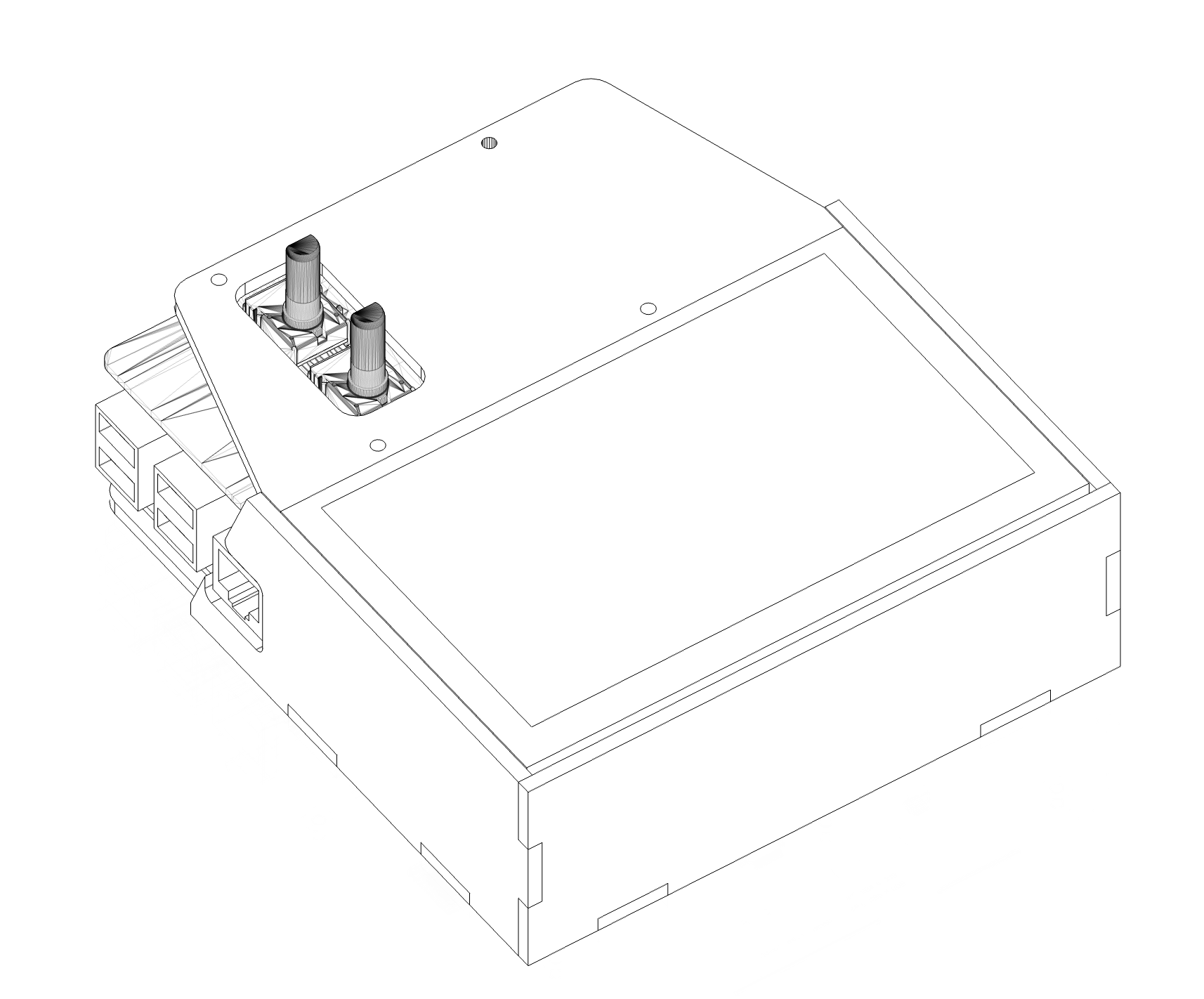
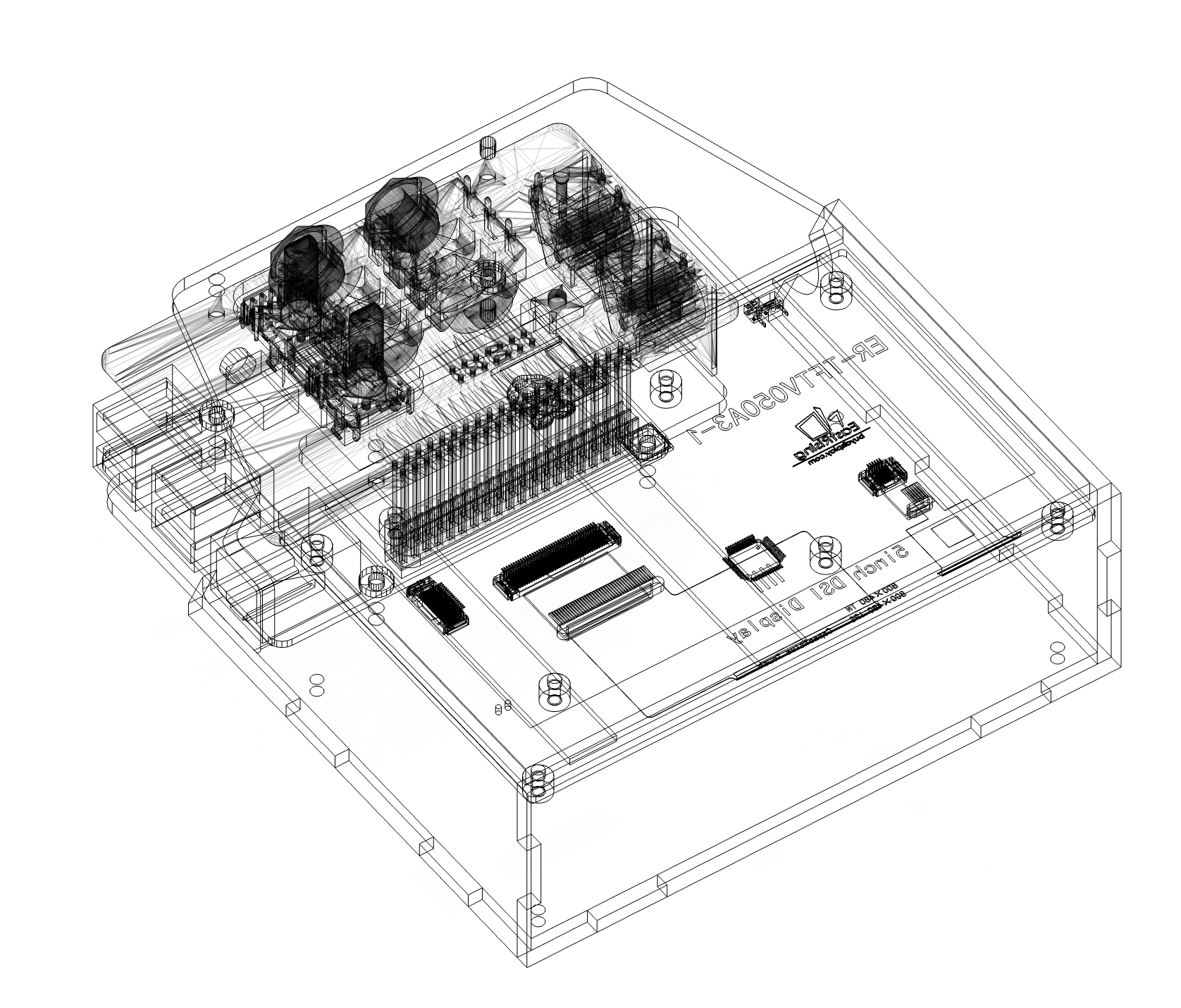
Designed in Fusion 360 and laser cut on a Glowforge. Went through ~20 iterations to balance component access (USB ports, SD card slot) with a clean look. The design is parametric and can be adapted for different component layouts.
Software Architecture
Stack
- Audio engine: SuperCollider – handles all DSP, streams waveform data to visualizer via OSC
- Application layer: Electron – cross-platform, enables macOS development with ARM builds for Pi
- Frontend: React – responsive UI for effect browsing, parameter control, and settings
- Communication: OSC for audio data, MCP for agent control, WebSocket for phone pairing
Visualization Pipeline
Visuals are tightly coupled to audio. SuperCollider streams real-time frequency and amplitude data over OSC. ShaderToy-compatible GLSL shaders consume this data, creating audio-reactive visuals.
The visualizer can broadcast over the local network, so multiple high-resolution displays stay in sync with minimal overhead. Useful for projecting visuals while keeping the main unit at your feet.
MCP Server
The device runs an MCP (Model Context Protocol) server that exposes its capabilities to AI agents:
- Create, edit, and delete effects
- Adjust parameters and save presets
- Capture logs and compilation output
- Run Git commands (commit, push, pull, branch)
- Control playback and visualization
This makes natural language the interface layer—the agent translates conversational requests into tool calls that manipulate the system.
Updates and Offline Mode
On startup, the app checks GitHub releases and pulls updates when available. But connectivity isn’t required: the device works fully offline, minus cloud features like AI creation and effect sync. Important for gigging musicians who can’t rely on venue Wi-Fi.
Why It Exists
Guitar pedals haven’t fundamentally changed in decades. They’re hardware-defined: you get the effects the manufacturer built in, with the knobs they chose, at the price they set. Want a different effect? Buy another pedal.
Doctor Rock asks: what if effects were software? What if your pedal had a screen? What if you could describe the sound you want and have AI write the code?
The original inspiration was simple: a guitar pedal with a display. But that idea evolved into something more experimental—a dev kit for exploring what audiovisual effect processing could become when you treat code as the medium and AI as a collaborator.
It’s not a finished product. It’s a sandbox.
Weaknesses and Future Work
Current Limitations
Boot time is slow. Raspberry Pi isn’t known for fast starts. The current setup takes 30-45 seconds to reach the app from power-on. For a gigging musician, this is inconvenient. Future work: investigate boot optimization, consider a more responsive “loading” state, or explore alternative SBCs.
UI is designed for a specific display. The touchscreen UI targets the 7” Raspberry Pi display at 800x480. While the app runs on macOS, the interface feels cramped or awkward on different resolutions. A more responsive design would help, but it hasn’t been a priority given the focused use case.
LLM latency breaks creative flow. The vision is that creating effects should feel like patching cables—immediate, tactile, iterative. In practice, LLM response times (5-15 seconds per turn) disrupt that flow state. You describe what you want, wait, see the result, describe a tweak, wait again. It works, but it doesn’t feel like improvisation yet. As inference speeds improve, this will get better. For now, it’s more “compose and wait” than “jam.”
Setup requires configuration. Git push support needs SSH key setup. AI features require API billing configuration. Wi-Fi provisioning exists but remains clumsy. The project isn’t yet turnkey.
The code is rough. This is “code as a means to an end”—functional but not pretty. It’s been a learning project for AI-assisted development, with rapid iteration prioritized over polish. The architecture is sound, but the implementation has debt.
Future Directions
- Faster local inference: Running smaller models on-device could reduce latency for simple edits
- Effect templates: Starting from known-good patterns rather than blank SuperCollider files
- Footswitch support: Physical momentary switches for live performance
- Community effect sharing: A proper index/discovery mechanism for the effects repo
- Boot optimization: Faster startup for practical gigging use
- Responsive UI: Better support for different screen sizes
Origin Story
The project started as a playful hardware experiment with friends, took several twists and turns, and then paused. I couldn’t let it go. Over several years, I’ve steadily iterated on hardware and software approaches.
Although it was conceived as a guitar pedal, it evolved into more of a dev kit and audiovisual processor. One observation along the way: guitar pedals would be far more capable with a high-quality built-in display. But it’s not quite fair to call this a guitar pedal either—I never stuck a footswitch on it.
Contributors and Attributions
Shoutout to Patrick Hackett and Brian Min for co-creating the initial prototype. Maybe we’ll regroup on a bigger production push someday.
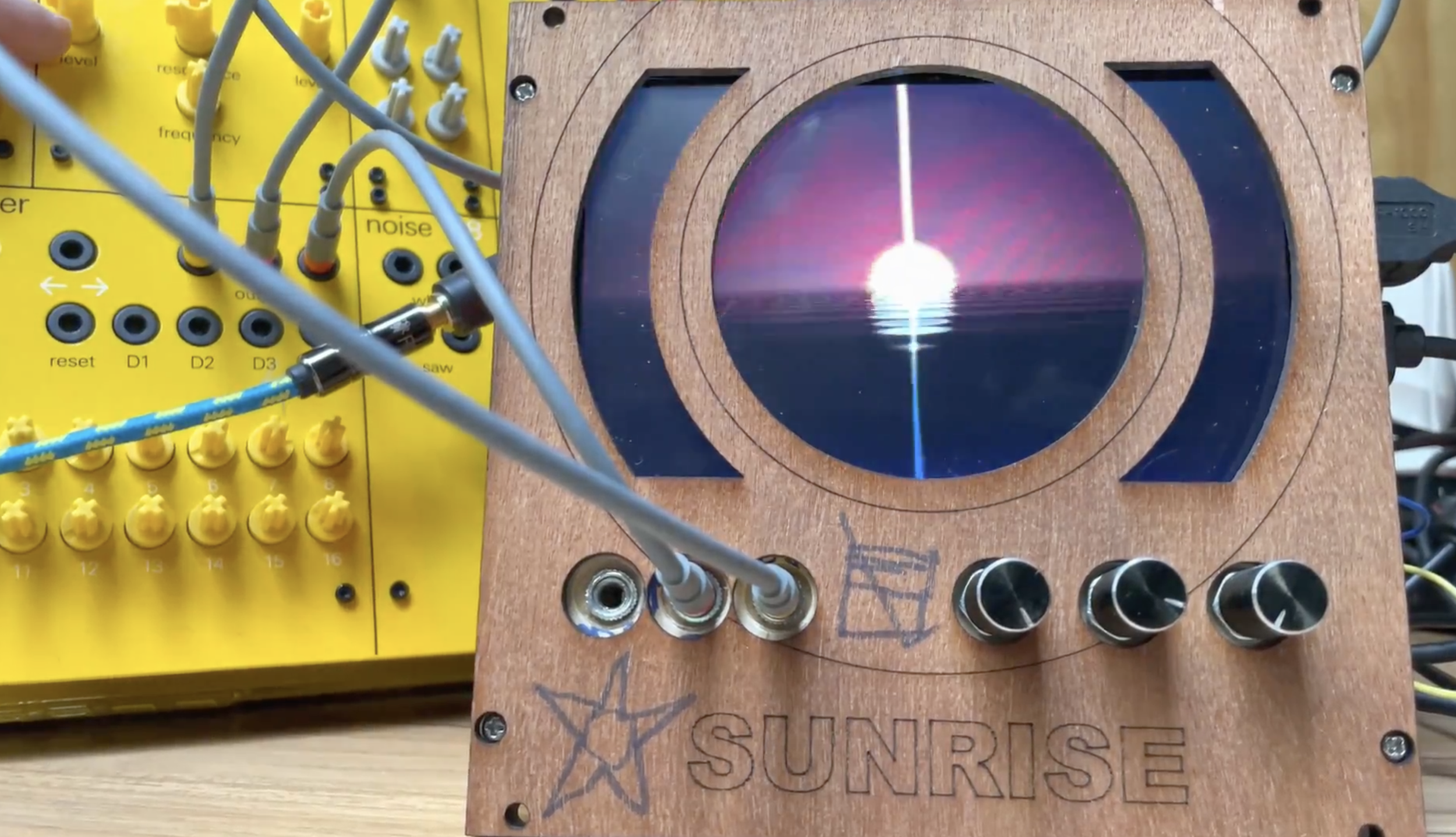 Initial prototype from 2022
Shoutout to Matthew Bice who inspired the 2nd iteration, where you actually talk to him and he talks back.
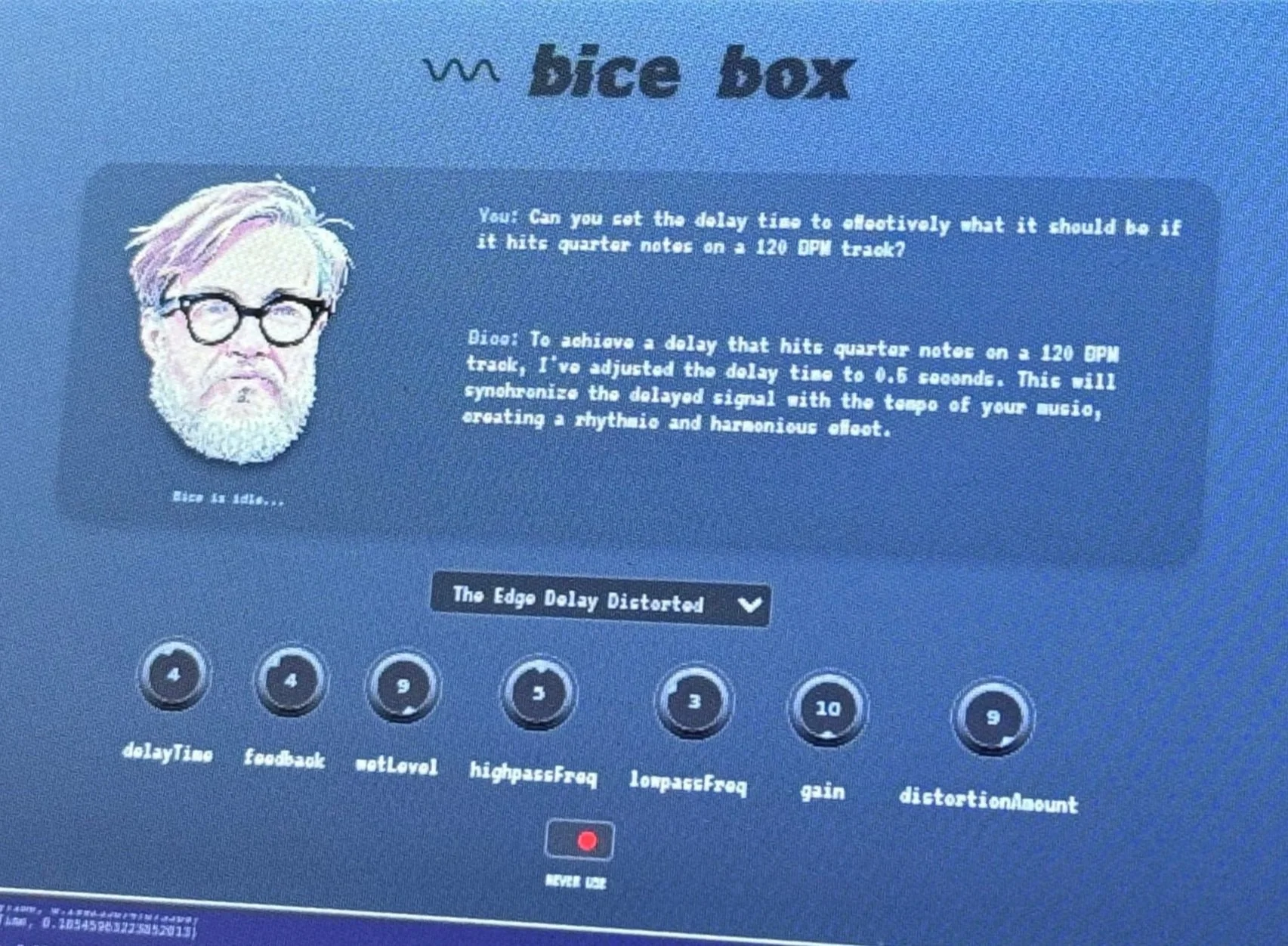
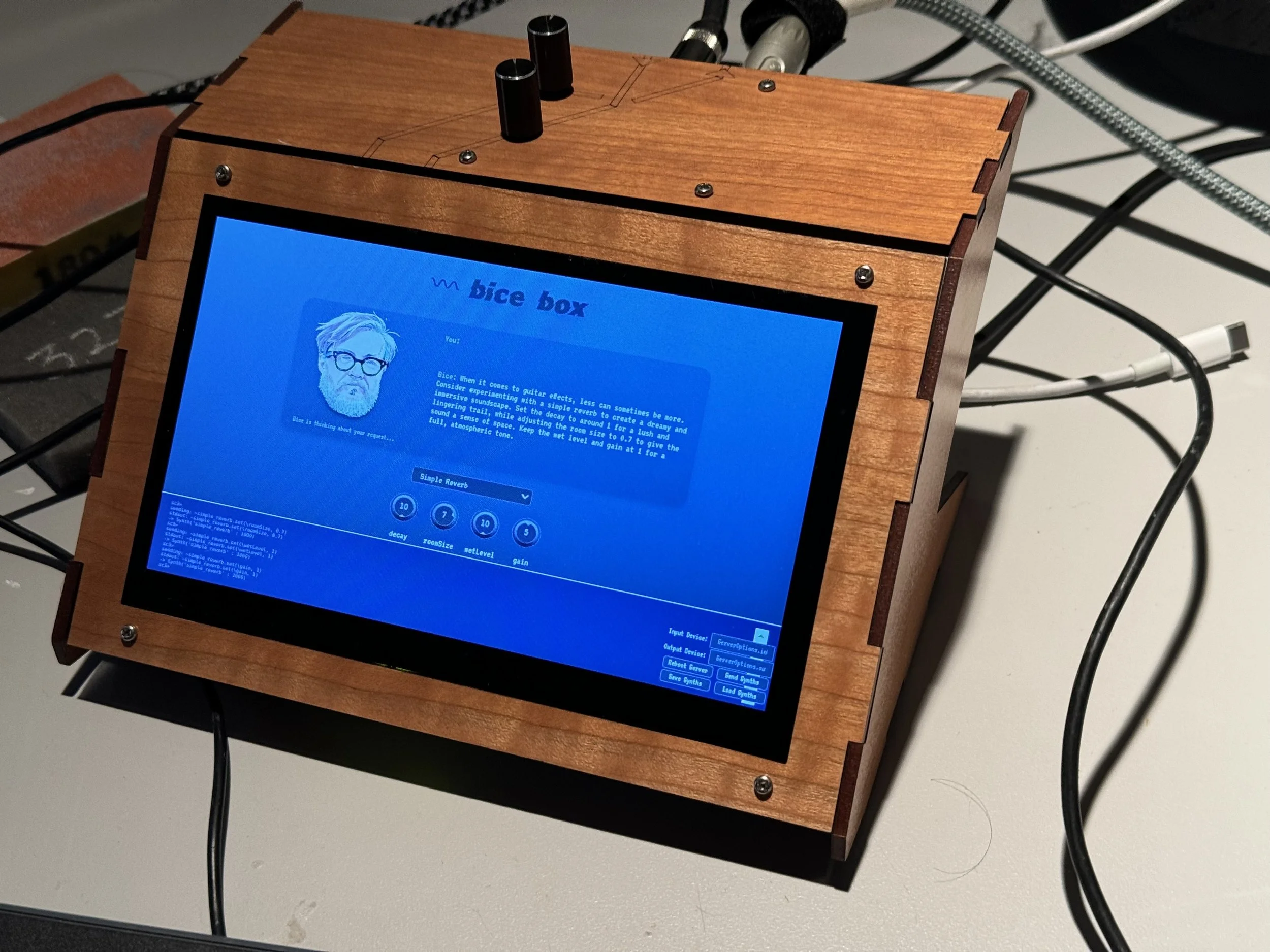
2nd iteration from 2023
Shader Credits
Since the app uses ShaderToy-style GLSL sketches, many visualizers are modified versions of original ShaderToy works:
I’ve tried to maintain original authors’ licenses and credit them in the effect files.
AI in Development
Doctor Rock has been a sandbox for learning AI-assisted development. Early builds used GPT-3.5 for code review. Each time models advanced, more of the workflow became faster: debugging, shader authoring, documentation, SuperCollider patches. Today development is high-level—I focus on direction, integration, and hardware while the LLM handles implementation detail.
Get Involved
Effects Repository: github.com/dskill/doctor-rock-effects
Voice MCP Server: github.com/dskill/voice-mcp-server (for remote AI control)
Thanks for reading! This has been a fun project and it’s not over yet. If you want to learn more about my work or get in touch, check out my info here.